Clayground - Flow, Form, Create
Clayground
Flow, Form, Create
A Qt-based sandbox for building 2D and 3D games with QML. Edit your code, save the file, see the result — no restart needed. Clayground provides the tools, components, and live-reloading workflow to go from idea to playable prototype fast.
How It Works
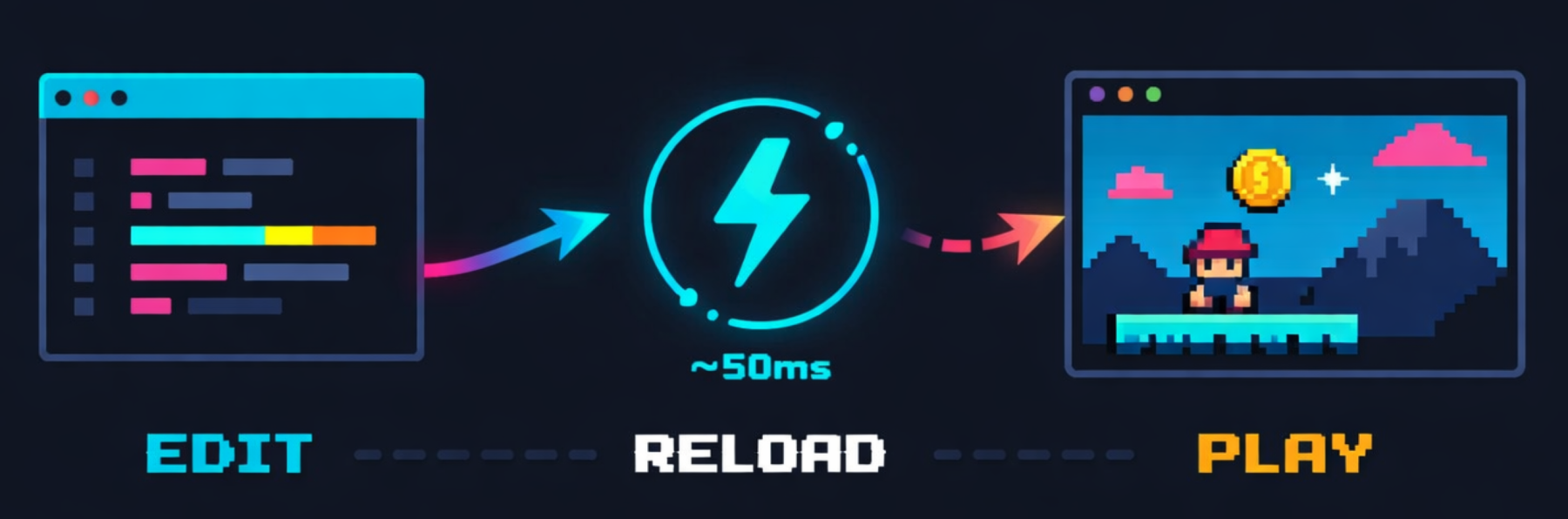
Edit QML in your editor, save the file, see the result — tweak colors, physics, or layout and watch the game update within milliseconds, without ever leaving your flow.
Write QML
Build your game logic, visuals, and physics using QML and JavaScript. Pull in only the plugins you need — from 2D canvas to 3D voxels, physics, input, and networking.
Dojo Watches
The Dojo sandbox monitors your source files. When you save a change, it reloads automatically — no compile step, no manual restart. Use the logging overlay (Ctrl+L) to inspect values live.
Ship Everywhere
Deploy to Linux, macOS, Windows, iOS, or the web via WebAssembly. The same QML code runs on all platforms. Try it right now with the Web Dojo.
Why Clayground?
-
Live Reloading with Dojo — Clayground’s development tool watches your QML files and reloads them on every save. You stay in your editor, tweak a property, and see the result immediately in the running app. No build-run-test cycles for gameplay iteration.
-
Modular Plugin System — Pick the plugins you need: 2D canvas with world coordinates, Box2D physics, 3D voxel rendering, SVG-based level design, unified input handling, P2P networking, or on-device AI. Each plugin is self-contained and they compose cleanly.
-
Code-First, Full Control — No visual editor, no black boxes. Your game is QML and JavaScript with optional C++ when you need raw performance. You always have direct access to Qt’s full API underneath.
-
Desktop to Browser — Build and test natively, then compile to WebAssembly and share a playable link. Or skip the local setup entirely: the Web Dojo lets you develop and share QML apps straight from the browser — no Qt install needed.